返回模型
说明文档
🪄 自动将 PDF 转换为可填写的表单。
💻 托管模型 | 📄 CommonForms 论文 | 🤗 数据集 | 🦾 模型
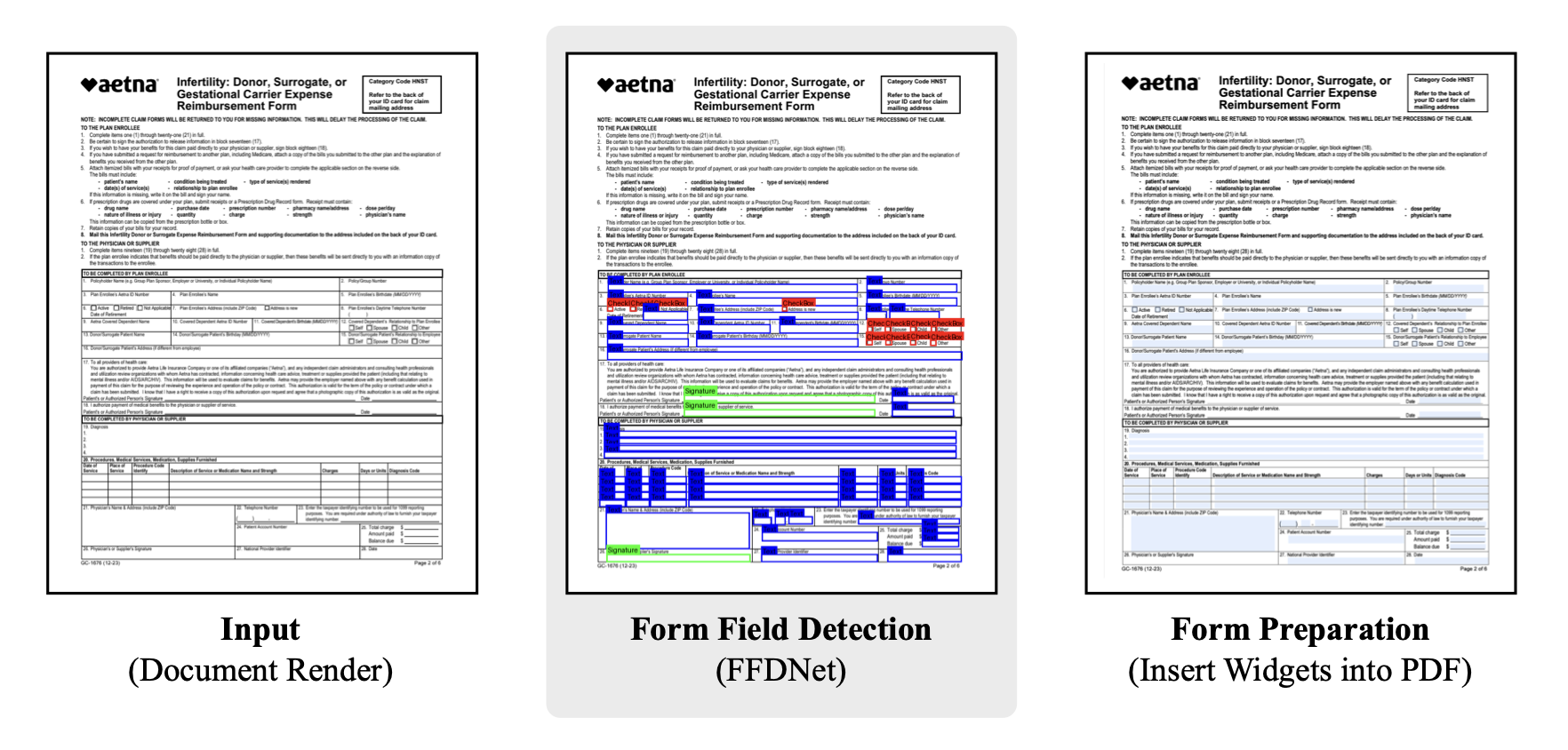
FFDNet-L-cpu
FFDNet-L 是一个拥有 2500 万参数的目标检测器,基于论文 CommonForms: A Large, Diverse Dataset for Form Field Detection 中的数据集训练而成。 该模型可检测三种类型的控件:文本框、选择按钮(复选框)和签名字段。
⚠️ 这是该模型的 CPU 优化 ONNX 导出版本!
结果
| 模型 | 文本 | 选择 | 签名 | AP (↑) |
|---|---|---|---|---|
| FFDNet-S (1216px) | 61.5 | 71.3 | 84.2 | 72.3 |
| FFDNet-L (1216px) | 71.4 | 78.1 | 93.5 | 81.0 |
安装
commonforms 包可以使用 uv 或 pip 安装,您可以根据偏好选择包管理器。
uv 命令:
uv pip install commonforms
pip 命令:
pip install commonforms
安装完成后,您应该可以在几乎任何 PDF 上运行 CLI 命令。
请参考 commonforms 文档 获取最新信息。
CLI
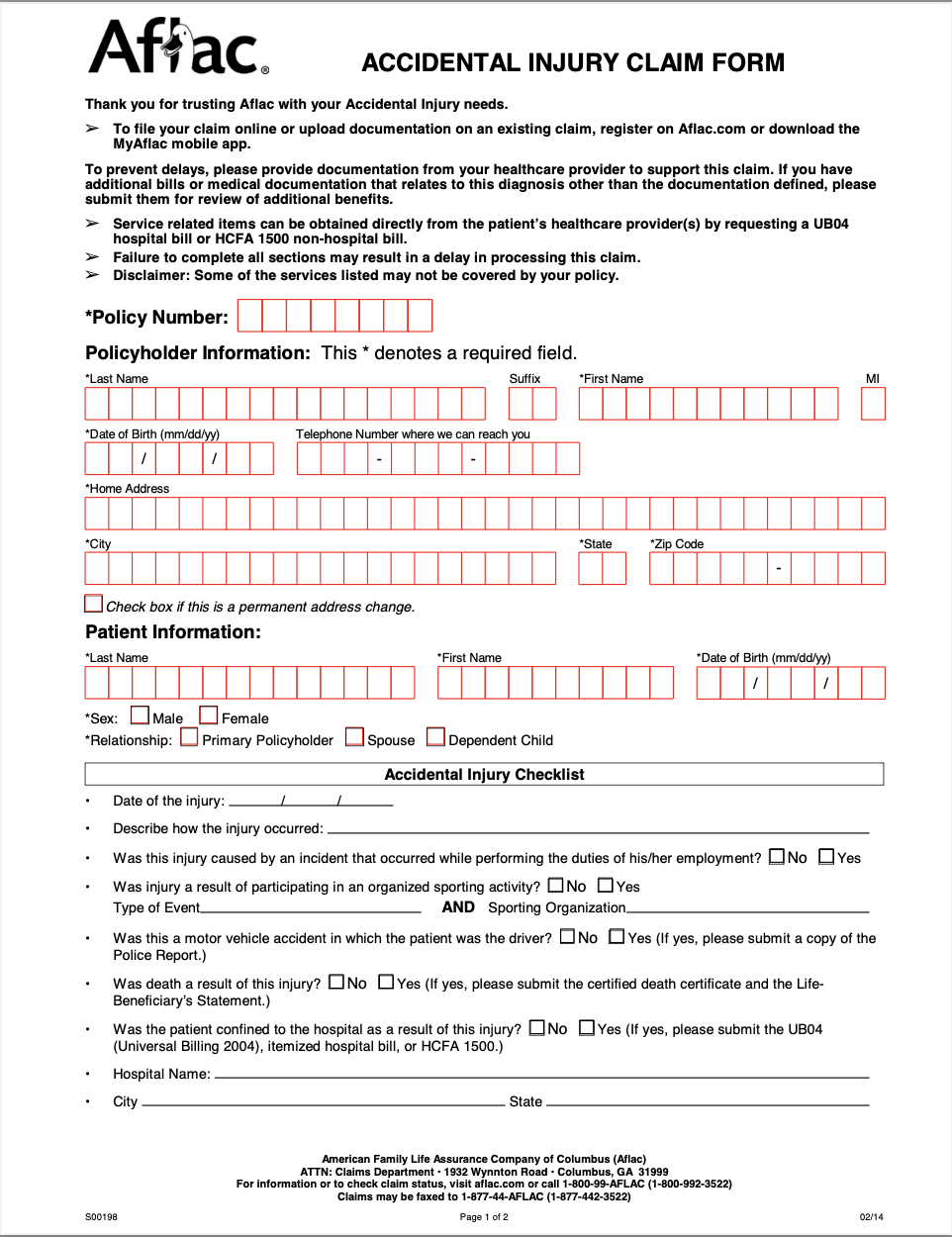
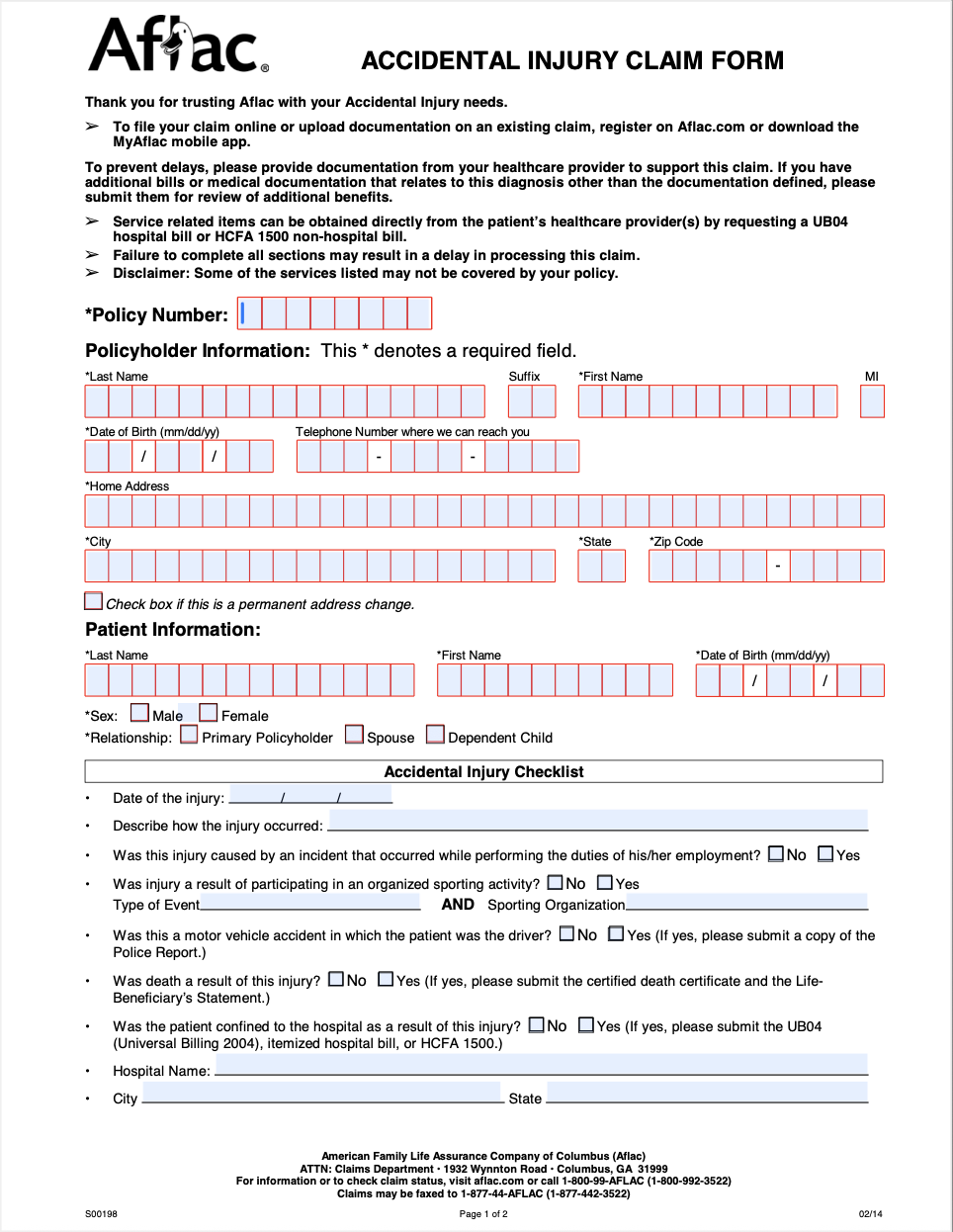
最简单的用法是使用默认推荐设置在 CPU 上运行推理:
commonforms <input.pdf> <output.pdf>
| 输入 | 输出 |
|---|---|
 |
 |
命令行参数
| 参数 | 类型 | 默认值 | 描述 |
|---|---|---|---|
input |
Path | 必填 | 输入 PDF 文件路径 |
output |
Path | 必填 | 输出 PDF 文件保存路径 |
--model |
str | FFDNet-L |
模型名称(FFDNet-L/FFDNet-S)或自定义 .pt 文件路径 |
--keep-existing-fields |
flag | False |
保留 PDF 中已有的表单字段 |
--use-signature-fields |
flag | False |
对检测到的签名字段使用签名字段类型而非文本字段 |
--device |
str | cpu |
推理设备(如 cpu、cuda、0) |
--image-size |
int | 1600 |
推理时的图像尺寸 |
--confidence |
float | 0.3 |
检测的置信度阈值 |
--fast |
flag | False |
如果在 CPU 上运行,可以牺牲精度换取速度,运行时间约为原来的一半 |
CommonForms API
除了 CLI,您还可以使用:
from commonforms import prepare_form

prepare_form(
    \"path/to/input.pdf\",
    \"path/to/output.pdf\"
)
上述所有参数都可以作为 prepare_form 函数的关键字参数。
例如,如果您想在 1216 分辨率下使用签名字段并保留已有字段来准备表单,可以运行:
from commonforms import prepare_form

prepare_form(
    \"path/to/input.pdf\",
    \"path/to/output.pdf\",
    keep_existing_fields=True,
    use_signature_fields=True,
    image_size=1216
)
参考资料
jbarrow/FFDNet-L-cpu
作者 jbarrow
object-detection
commonforms
↓ 0
♥ 3
创建时间: 2025-10-15 00:29:20+00:00
更新时间: 2025-10-15 00:30:22+00:00
在 Hugging Face 上查看文件 (3)
.gitattributes
FFDNet-L.onnx
ONNX
README.md