onnx-community/Meta-Llama-3.1-8B-Instruct-ONNX-DirectML-GenAI-INT4
By onnx-community · ↓ 0 · ♥ 3 · Updated 2025-04-01
What's in this repo
This page lists the files in onnx-community/Meta-Llama-3.1-8B-Instruct-ONNX-DirectML-GenAI-INT4, including model.onnx.
- 1 ONNX models (.onnx files)
- 10 files, including 4 .json, 2 .py, 1 .md, 1 .onnx, 1 .data
- Last updated 2025-04-01
ONNX files
| File | Size | Download |
|---|---|---|
| model.onnx | — | Download |
How to use
These ONNX files can be loaded with ONNX Runtime. To inspect a model graph, upload the file to the Netron viewer. Download links point to the original files on Hugging Face.
README
Model Card for Model ID
Model Details
meta-llama/Meta-Llama-3.1-8B-Instruct quantized to ONNX GenAI INT4 with Microsoft DirectML optimization.
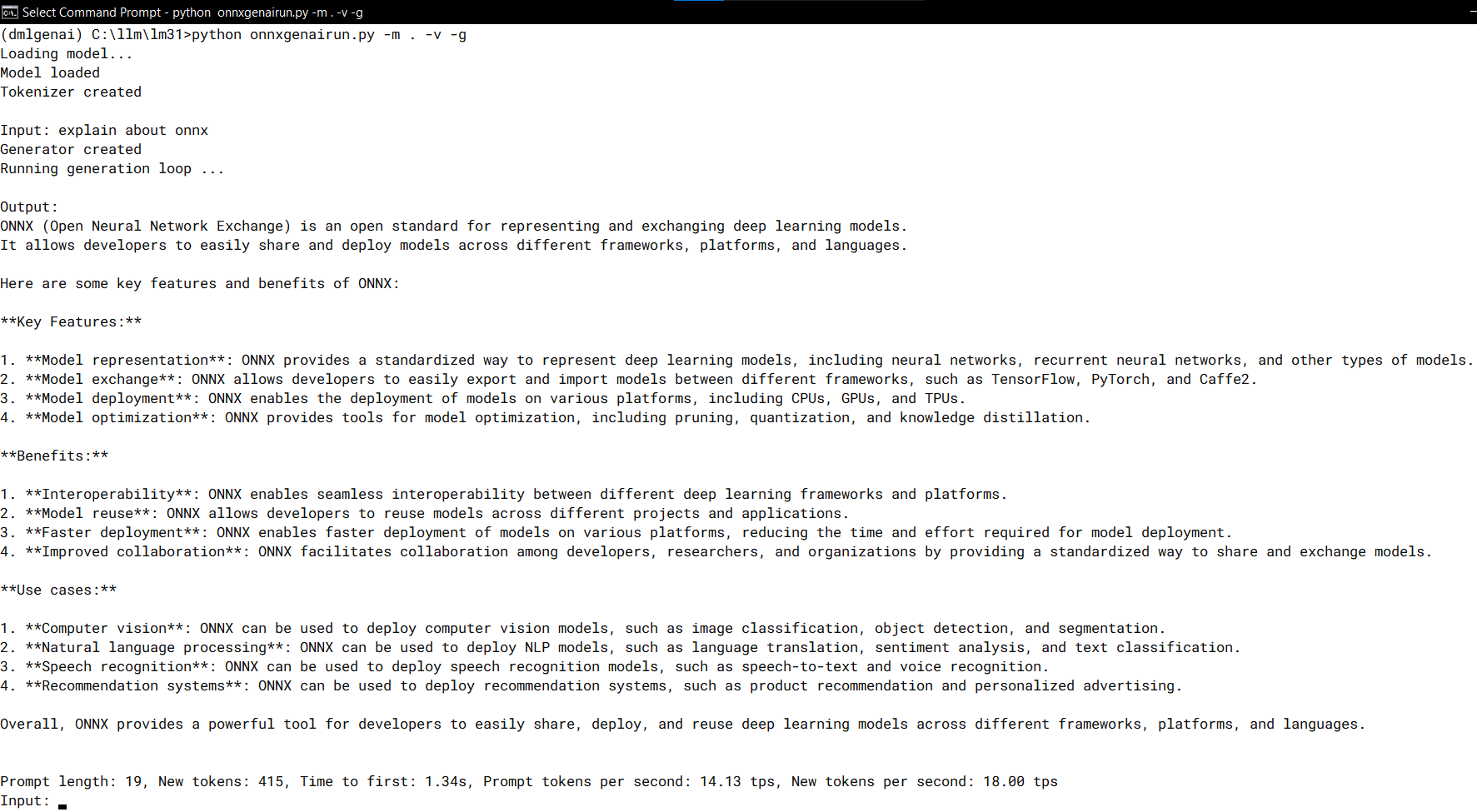
Output is reformatted that each sentence starts at new line to improve readability.
... vNewDecoded = tokenizer_stream.decode(new_token) if re.fullmatch("^[\x2E\x3A\x3B]$", vPreviousDecoded) and vNewDecoded.startswith(" ") and (not vNewDecoded.startswith(" *")) : print("\n" + vNewDecoded.replace(" ", "", 1), end='', flush=True) else : print(vNewDecoded, end='', flush=True) vPreviousDecoded = vNewDecoded ...
Model Description
meta-llama/Meta-Llama-3.1-8B-Instruct quantized to ONNX GenAI INT4 with Microsoft DirectML optimization
https://onnxruntime.ai/docs/genai/howto/install.html#directml
Created using ONNX Runtime GenAI's builder.py
https://raw.githubusercontent.com/microsoft/onnxruntime-genai/main/src/python/py/models/builder.py
Build options:
INT4 accuracy level: FP32 (float32)
- Developed by: Mochamad Aris Zamroni
Model Sources [optional]
https://huggingface.co/meta-llama/Meta-Llama-3.1-8B-Instruct
Direct Use
This is Microsoft Windows DirectML optimized model.
It might not be working in ONNX execution provider other than DmlExecutionProvider.
The needed python scripts are included in this repository
Prerequisites:
- Install Python 3.11 from Windows Store:
https://apps.microsoft.com/search/publisher?name=Python+Software+Foundation
-
Open command line cmd.exe
-
Create python virtual environment, activate the environment then install onnxruntime-genai-directml
mkdir c:\temp
cd c:\temp
python -m venv dmlgenai
dmlgenai\Scripts\activate.bat
pip install onnxruntime-genai-directml
- Use the onnxgenairun.py to get chat interface.
It is modified version of "https://github.com/microsoft/onnxruntime-genai/blob/main/examples/python/phi3-qa.py".
The modification makes the text output changes to new line after "., :, and ;" to make the output easier to be read.
rem Change directory to where model and script files is stored
cd this_onnx_model_directory
python onnxgenairun.py --help
python onnxgenairun.py -m . -v -g
- (Optional but recommended) Device specific optimization.
a. Open "dml-device-specific-optim.py" with text editor and change the file path accordingly.
b. Run the python script: python dml-device-specific-optim.py
c. Rename the original model.onnx to other file name and put and rename the optimized onnx file from step 5.b to model.onnx file.
d. Rerun step 4.
Speeds, Sizes, Times [optional]
15 token/s in Radeon 780M with 8GB pre-allocated RAM.
Increase to 16 token/s with device specific optimized model.onnx.
As comparison, LM Studio using GGUF INT4 model and VulkanML GPU acceleration runs at 13 token/s.
Hardware
AMD Ryzen Zen4 7840U with integrated Radeon 780M GPU
RAM 32GB
Software
Microsoft DirectML on Windows 10
Model Card Authors [optional]
Mochamad Aris Zamroni
Model Card Contact
https://www.linkedin.com/in/zamroni/
Model info
Created: 2025-02-03
Updated: 2025-04-01
View on Hugging Face